Practical Homelab / Compute & Orchestration

Deploying Kubernetes using Terraform, Proxmox, Ansible, and K3s
March 25, 2025/Compute & Orchestration/#kubernetes

I’ve been meaning to try Kubernetes for a long time, but I kept finding excuses. It’s been at the back of my mind marinating for yeaaars.

One thing I absolutely did not want to do was spend hours clicking through admin panels just to get something working. I recently learned there’s a term for this: ClickOps. I developed a strong aversion to this way of doing things when I transitioned to Cloud Engineering. Clicking things can get old fast.

Terraform + Proxmox

There is barely any overlap with what I do at my full-time job and my homelab projects. We use Terraform at work to manage AWS resources. I use Proxmox for all my servers.

I knew there was a Proxmox provider for Terraform, but I hadn’t seriously considered it. Seeing how vastly different the “resources” looked compared to AWS provider.

I gave it a shot, and it worked beautifully. There’s something exciting about finally bridging the gap between the tools I use at work and the ones I use in my homelab.

This solved my VM provisioning problem.

This is the only Proxmox provider I recommend: https://github.com/bpg/terraform-provider-proxmox. I ran into issues with all the others.

Ansible for configuration management

Next, I needed a way to handle configuration management. While Terraform can invoke Bash scripts, it doesn’t track configuration changes well. This led me to another tool I had been meaning to try: Ansible.

Prior to this project, I’ve been only reading about it in passing. No actual experience at all. This was a good excuse to try it out.

Wrapping up

My primary goal is reproducibility. What I want is the config I’ll write now, I can reuse later on. I can destroy, and rebuild to make it easy to experiment.

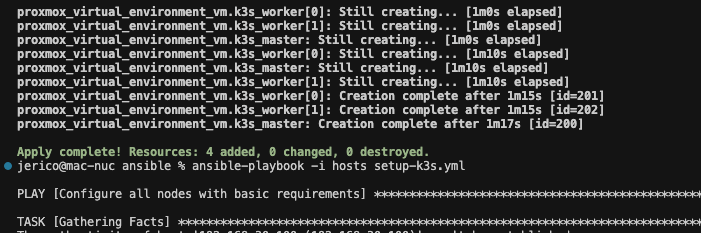
Here’s what the process looks like for creating a new Kubernetes cluster once Proxmox is up and running:

terraform init
terraform apply
cd ansible
ansible-playbook -i hosts setup-k3s.yml
export KUBECONFIG=./k3s.yaml
kubectl get nodes

That’s it! The setup is fully reproducible, and I now have a fresh Kubernetes cluster.

https://github.com/jerico/terraform-proxmox-k3s

Next step is actually running things on the cluster 😄
Proxmox iGPU Passthrough only works on Windows guests

February 29, 2024/Compute & Orchestration/#proxmox

I wanted to passthrough UHD 630 to a DSM guest. I thought that PCIe passthrough in Proxmox has matured enough that it would be a straightforward task to assign my iGPU Intel UHD 630 to a Linux guest.

This was not the case.

I’m getting the following errors on Linux and Mac guests.

Host error log

DMAR: [DMA Write NO_PASID] Request device [c7:00.0] fault addr 0x27af3000 [fault reason 0x05] PTE Write access is not set

DSM error log

[ 4.093363] i915 0000:01:00.0: Invalid ROM contents
[ 4.095707] [drm:gen9_set_dc_state [i915]] *ERROR* DC state mismatch (0x0 -> 0x2)
[ 4.103321] [drm] Finished loading DMC firmware i915/kbl_dmc_ver1_04.bin (v1.4)
[ 5.754708] i915 0000:01:00.0: Resetting rcs0 after gpu hang
[ 5.755644] i915 0000:01:00.0: Resetting bcs0 after gpu hang
[ 5.756533] i915 0000:01:00.0: Resetting vcs0 after gpu hang
[ 5.757376] i915 0000:01:00.0: Resetting vecs0 after gpu hang
[ 7.707272] i915 0000:01:00.0: Resetting chip after gpu hang
[ 7.708617] i915 0000:01:00.0: GPU recovery failed
[ 7.716928] [drm] Initialized i915 1.6.0 20171222 for 0000:01:00.0 on minor 0
[ 8.107294] i915 0000:01:00.0: fb0: inteldrmfb frame buffer device
[ 8.702947] i915 0000:01:00.0: HDMI-A-1: EDID is invalid:
[ 42.201199] i915 0000:01:00.0: HDMI-A-2: EDID is invalid:

Things I tried

Blacklisting iGPU on boot

I followed https://3os.org/infrastructure/proxmox/gpu-passthrough/igpu-passthrough-to-vm/#proxmox-configuration-for-igpu-full-passthrough with all the modifications to the Proxmox host. Results are the same.

  • Blacklisting iGPU so the host won’t initialize it.

Use a vbios file

I tried using a vbios romfile from https://github.com/patmagauran/i915ovmfPkg to re-initiate the GPU. Results are the same.

  • Copied the rom file to /usr/share/kvm/ and added romfile=<vbios>.rom to hostpci0 in /etc/pve/qemu-server/<VMID>.conf.

SR-IOV

I briefly considered using SR-IOV https://github.com/strongtz/i915-sriov-dkms but it looks like a lot of work. Host and guest have to support it. I have limited control over DSM.

Probably in the future if I have a use-case of passing through iGPU to a guest.

Other useful resources

Emulate NVME drive in Proxmox

January 20, 2024/Compute & Orchestration/#proxmox

Proxmox does not yet support adding NVME drives using the web interface. It has to be added using a custom args for QEMU.

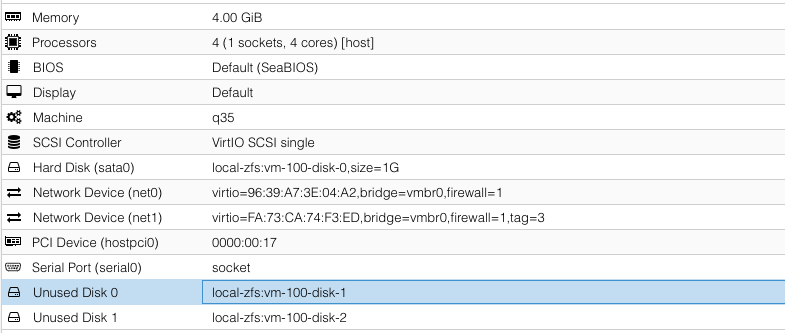
To do so, open the VM config file in a text editor: vi /etc/pve/qemu-server/100.conf

args: -drive file=/dev/zvol/rpool/data/vm-100-disk-1,if=none,id=nvme1 -device nvme,drive=nvme1,serial=nvme1

file is the location of the image in the hard drive. Since I’m using ZFS, it is in /dev/zvol/rpool/data/vm-100-disk-1.

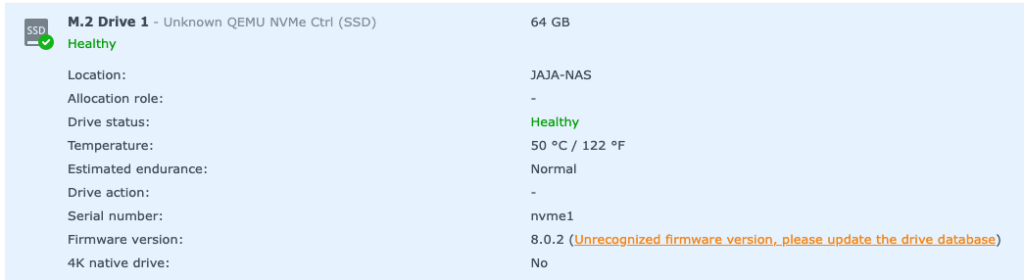
I created this image using the Web UI but it is unattached. It is created in a real NVME disk.

device is how it will show-up in the guest.

QEMU docs on NVME emulation: https://www.qemu.org/docs/master/system/devices/nvme.html

Patch for Proxmox NVME emulation that has not yet been merged: https://bugzilla.proxmox.com/show_bug.cgi?id=2255

Lenovo ThinkCentre M920s IOMMU groups

July 13, 2023/Compute & Orchestration/#hardware

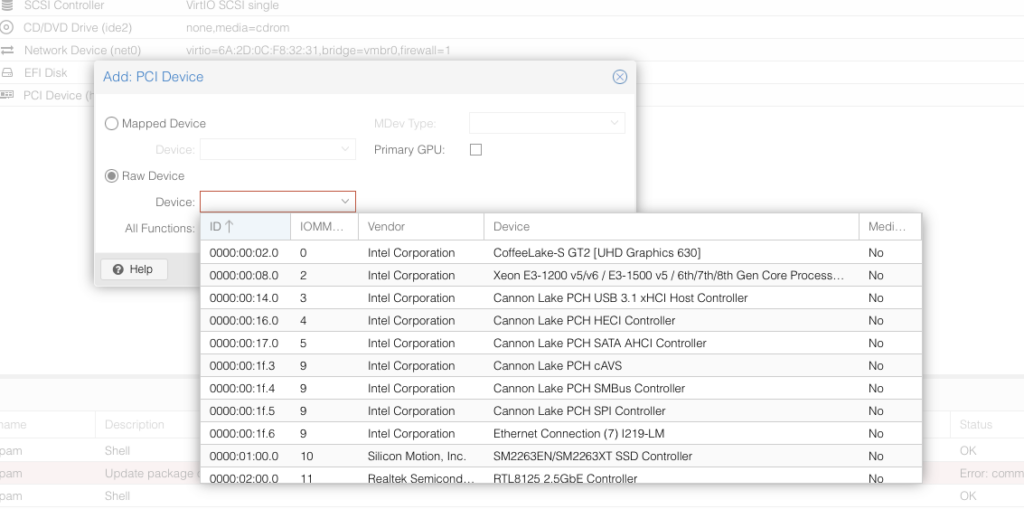
iGPU and SATA controller is in its own group

Proxmox Xpenology mount bootloader as a USB

July 13, 2023/Compute & Orchestration/#xpenology

The special configuration required for the virtual machine that simulates the U disk:

  1. Select the model as q35.
  2. Enable SeaBIOS, or select UEFI and enter BIOS to turn off secure boot.
  3. Cancel all Boot Order under Options.
  4. Edit /etc/pve/qemu-server/101.conf.

Add the following line in (note to modify the mirror path):

args: -device 'nec-usb-xhci,id=usb-bus0,multifunction=on' -drive 'file=/path/to/arpl-sa6400.img,media=disk,format=raw,if=none,id=drive-disk-bootloader' -device 'usb-storage,bus=usb-bus0.0,port=1,drive=drive-disk-bootloader,id=usb-disk-bootloader,bootindex=999,removable=on'

Source: https://blog.jim.plus/blog/post/jim/synology-sa6400-with-i915

Proxmox Enable IOMMU

July 11, 2023/Compute & Orchestration/#proxmox
vi /etc/default/grub
Find the line with "GRUB_CMDLINE_LINUX_DEFAULT"
Add `intel_iommu=on` or `amd_iommu=on`
Save
update-grub

PCIe ACS Override

There are motherboards that bundle peripherals together (does not support ACS).

A workaround is to override PCIe ACS by adding pcie_acs_override=downstream,multifunction in GRUB_CMDLINE_LINUX_DEFAULT.

This flags the kernel that a device can be “isolated”. It might have security and stability issues.

References:

Asus Chromebox CN62 - IOMMU Group

July 11, 2023/Compute & Orchestration/#virtualization

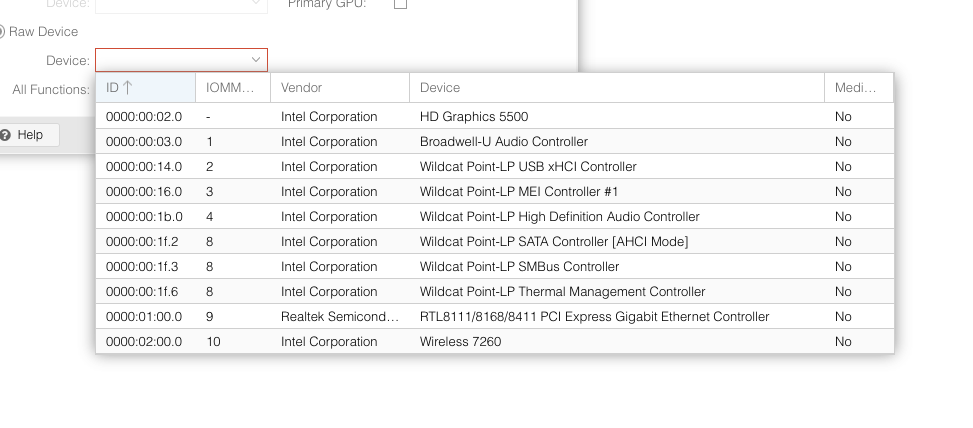
It cannot passthrough the GPU

Attempted to make XFX RX 460 work on a macOS KVM

January 27, 2023/Compute & Orchestration/#virtualization

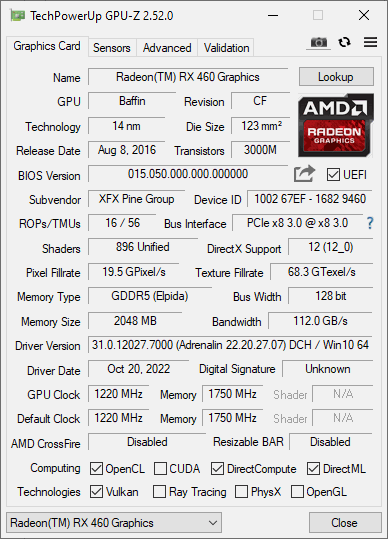
For the past couple of days (when I’m procrastinating), I’ve been attempting to make an XFX RX 460 work as a GPU passthrough on a macOS KVM.

Ready-made macOS VM

Flashing a different BIOS

# Display all adaptors detected
./amdvbflash -ai
# Get info about the rom file
./amdvbflash -biosfileinfo vbios.rom
# Save bios
./amdvbflash -s 0 original_rom
# Force flash a rom
./amdvbflash -f -p 0 ./original_rom

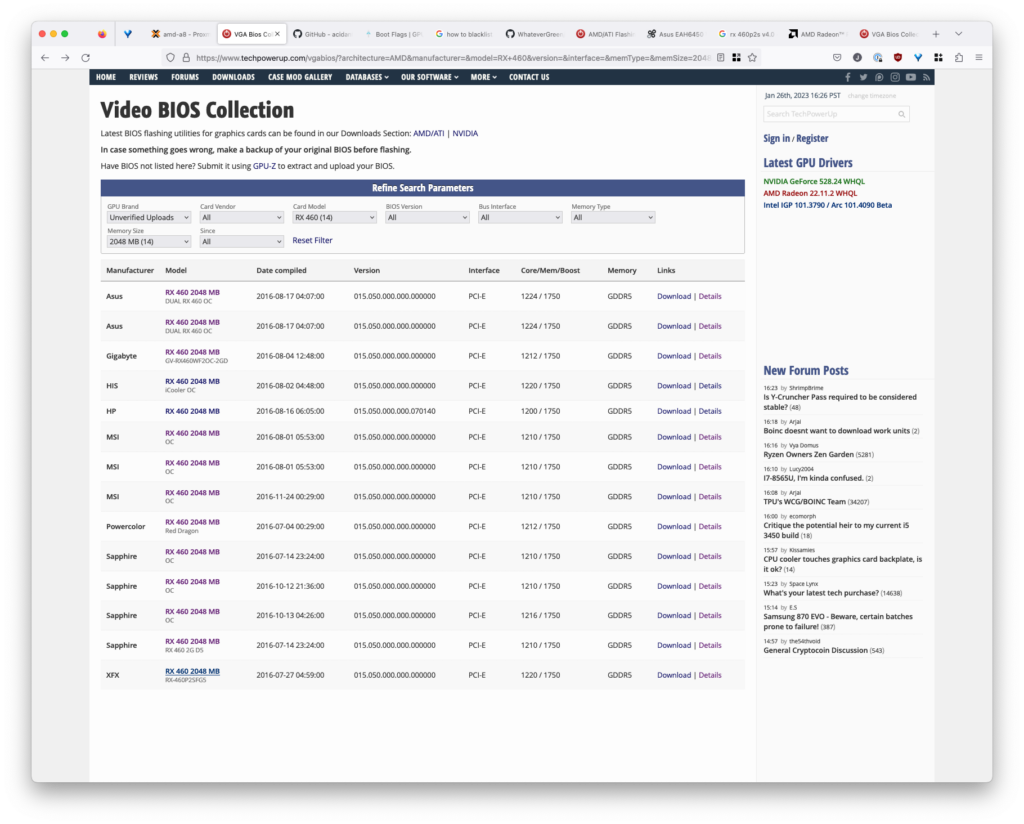
Where to get BIOS rom files

https://www.techpowerup.com/vgabios/

How to know which BIOS are compatible

Run GPU-Z. Take note of the memory type and size.

Setting Proxmox to use a rom file

Where are the rom files located

/usr/share/kvm/romfile.rom

How to use the romfile

vi /etc/pve/qemu

Add romfile=romfilename.rom to hostpci0.

Giving up

I think I’ve tried almost all BIOS compatible with my graphics card. I was not able to make it work.

Too much time has been spent. I could have bought a fully compatible one if I worked for the same amount of time I spent on this.

It was a good try, but I need to cut my losses (of time).