Practical Homelab / NAS & Storage

Attempts to fix corrupted BTRFS volume in DSM

January 24, 2024/NAS & Storage/#storage

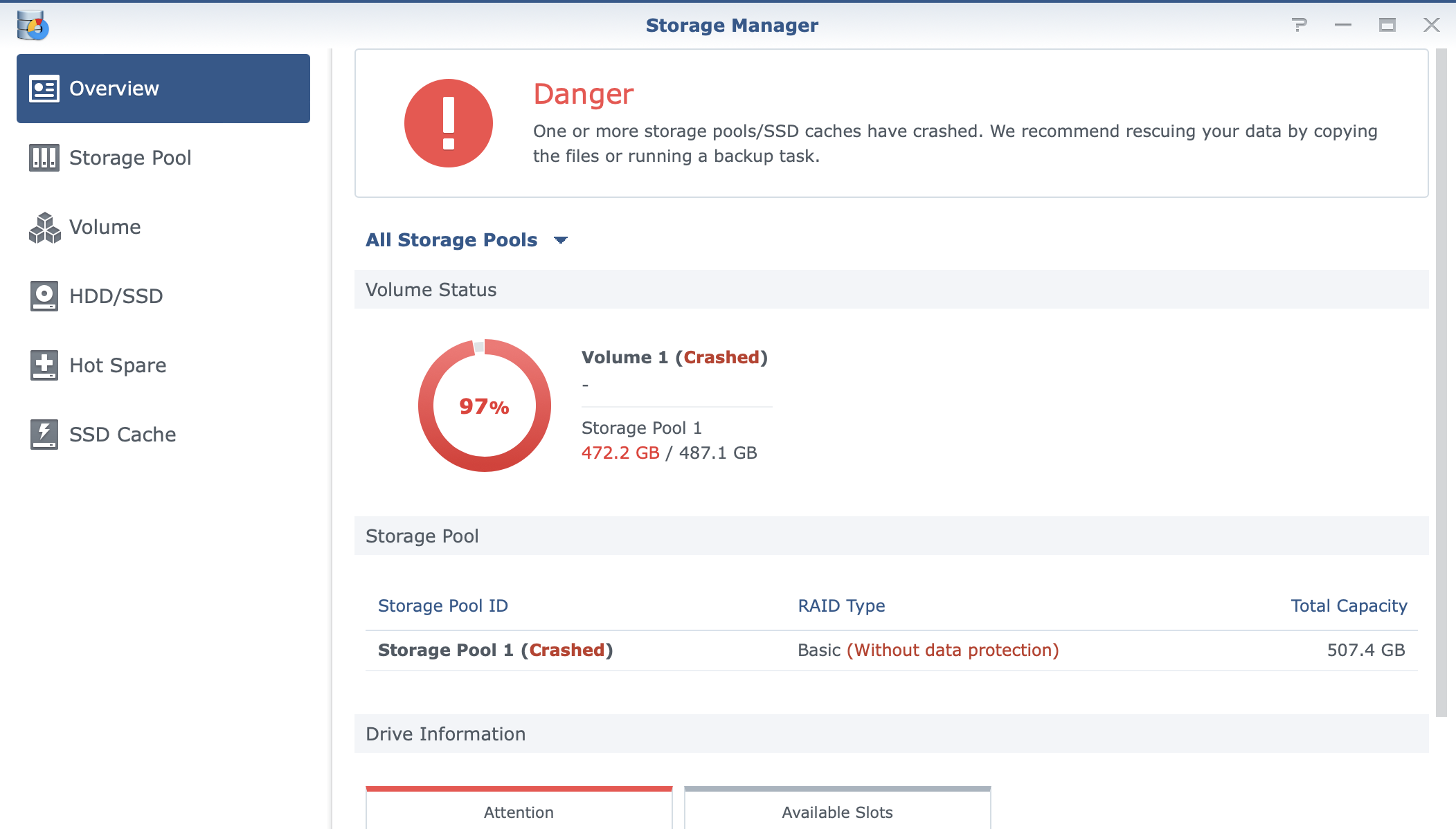
I was restarting a Docker container in my NAS’ DiskStation and I suddenly got a warning that my primary volume is mounted in read-only mode.

Checking dmesg, I saw an error about a corrupted leaf. At this point, I didn’t really know how Btrfs works, or what a leaf is.

[ 363.524916] BTRFS critical (device dm-1): [cannot fix] corrupt leaf: root=1461 block=8947565723648 slot=1, bad key order
[ 363.526807] md3: [Self Heal] Retry sector [229802368] round [1/2] start: sh-sector [76600704], d-disk [3:sata3p5], p-disk [0:sata1p5], q-disk [-1: null]
[ 363.529030] md3: [Self Heal] Retry sector [229802376] round [1/2] start: sh-sector [76600712], d-disk [3:sata3p5], p-disk [0:sata1p5], q-disk [-1: null]
[ 363.529228] md3: [Self Heal] Retry sector [229802368] round [1/2] choose d-disk
[ 363.529230] md3: [Self Heal] Retry sector [229802368] round [1/2] finished: get same result, retry next round
[ 363.529232] md3: [Self Heal] Retry sector [229802368] round [2/2] start: sh-sector [76600704], d-disk [3:sata3p5], p-disk [0:sata1p5], q-disk [-1: null]
[ 363.529391] md3: [Self Heal] Retry sector [229802368] round [2/2] choose p-disk
[ 363.529394] md3: [Self Heal] Retry sector [229802368] round [2/2] finished: get same result, give up
[ 363.538846] md3: [Self Heal] Retry sector [229802384] round [1/2] start: sh-sector [76600720], d-disk [3:sata3p5], p-disk [0:sata1p5], q-disk [-1: null]
[ 363.539030] md3: [Self Heal] Retry sector [229802376] round [1/2] choose d-disk
[ 363.539032] md3: [Self Heal] Retry sector [229802376] round [1/2] finished: get same result, retry next round
[ 363.539035] md3: [Self Heal] Retry sector [229802376] round [2/2] start: sh-sector [76600712], d-disk [3:sata3p5], p-disk [0:sata1p5], q-disk [-1: null]
[ 363.539187] md3: [Self Heal] Retry sector [229802376] round [2/2] choose p-disk
[ 363.539190] md3: [Self Heal] Retry sector [229802376] round [2/2] finished: get same result, give up
[ 363.549362] md3: [Self Heal] Retry sector [229802392] round [1/2] start: sh-sector [76600728], d-disk [3:sata3p5], p-disk [0:sata1p5], q-disk [-1: null]
[ 363.549567] md3: [Self Heal] Retry sector [229802384] round [1/2] choose d-disk
[ 363.549570] md3: [Self Heal] Retry sector [229802384] round [1/2] finished: get same result, retry next round
[ 363.549572] md3: [Self Heal] Retry sector [229802384] round [2/2] start: sh-sector [76600720], d-disk [3:sata3p5], p-disk [0:sata1p5], q-disk [-1: null]
[ 363.549738] md3: [Self Heal] Retry sector [229802384] round [2/2] choose p-disk
[ 363.549741] md3: [Self Heal] Retry sector [229802384] round [2/2] finished: get same result, give up
[ 363.559460] md3: [Self Heal] Retry sector [229802392] round [1/2] choose d-disk
[ 363.560726] md3: [Self Heal] Retry sector [229802392] round [1/2] finished: get same result, retry next round
[ 363.562301] md3: [Self Heal] Retry sector [229802392] round [2/2] start: sh-sector [76600728], d-disk [3:sata3p5], p-disk [0:sata1p5], q-disk [-1: null]
[ 363.564761] md3: [Self Heal] Retry sector [229802392] round [2/2] choose p-disk
[ 363.566015] md3: [Self Heal] Retry sector [229802392] round [2/2] finished: get same result, give up

I spent two days trying to recover. Most of the advice is to salvage the files and rebuild the filesystem.

Potential cause is bitflip in memory. I recently upgraded my RAM to 16GB × 4. I did not test it and just plugged it in. After a couple of days, my filesystem got corrupted.

List btrfs devices

btrfs fi show

Unmount volume and stop services in DSM

synostgvolume --unmount /volume2
# I forgot the correct command, but it should resemble something like --unmount-with-packages

This is supposed to stop services and unmount the volume, but it was not working for me.

Trying out btrfs check --repair

I tried btrfs check --repair as a last resort. But I’m blocked by the following error. I was not able to figure out how to fix it.

couldn't open RDWR because of unsupported option features (800000000000003).

Mounting DSM volumes in Ubuntu

apt-get update
apt-get install -y mdadm lvm2  # Initiate mdadm
mdadm -AsfR                    # Assemble or activate an array, scan for MD superblocks, etc.
vgchange -ay                   # Activate volume group
cat /proc/mdstat               # List active RAID arrays
btrfs fi show                  # List btrfs devices
btrfs check /dev/mapper/vg1000-lv

Attempted to mount the volume in Ubuntu because I could not unmount it in DSM. I could not do anything aside from btrfs check because of an unknown feature error. I’m thinking DSM have custom code baked into their Btrfs bundle.
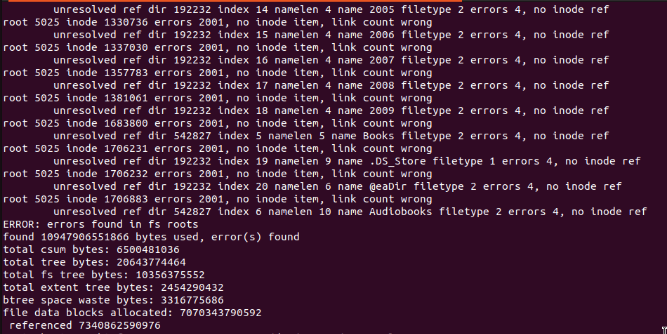
btrfs error screenshot

couldn't open RDWR because of unsupported option features (0x800000000000003)
ERROR: cannot open file system

Summary

I decided to back up everything and rebuild my volume. It was originally built last July 2020 and has gone through a lot of changes such as disk size increase (adding new disks). There were a lot of errors in btrfs check too.

It’s hard to continue using it with doubt if the error will not happen again.

The bad key order corruption was likely to be from memory bitflip. I’ll do a memtest on the host machine before doing anything else.

Cutting my losses by not spending more time on this issue. I learned a bit about Btrfs which is good because I will still use it. I have a better idea next time what to check.

Writing this down so I have reference in the future.

Resources

Segfault on emulated NVME as SSD Cache

January 20, 2024/NAS & Storage/#storage

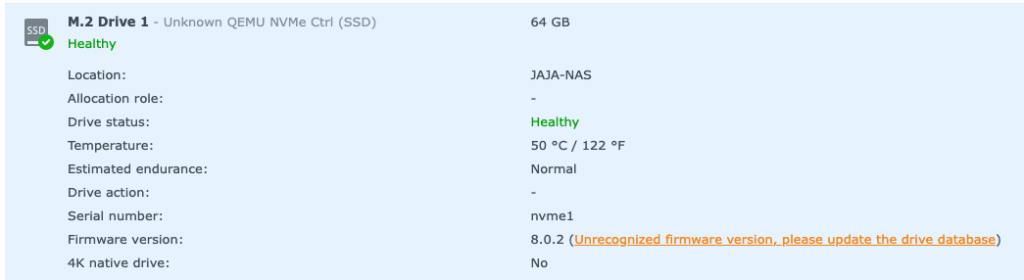
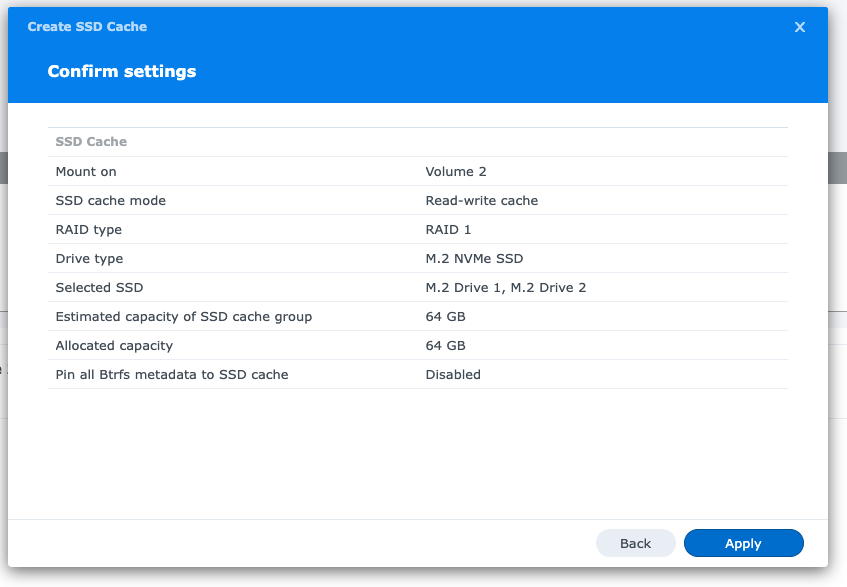
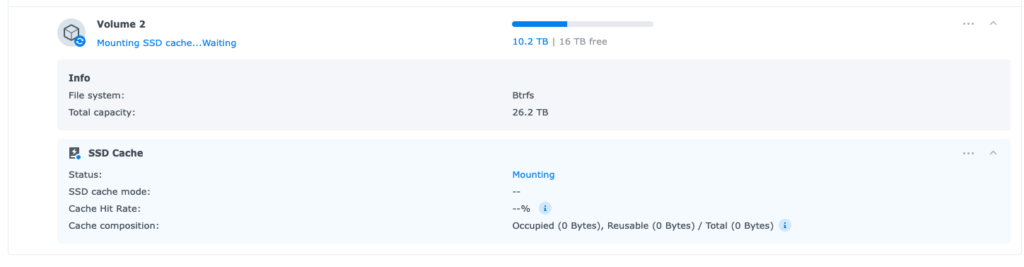
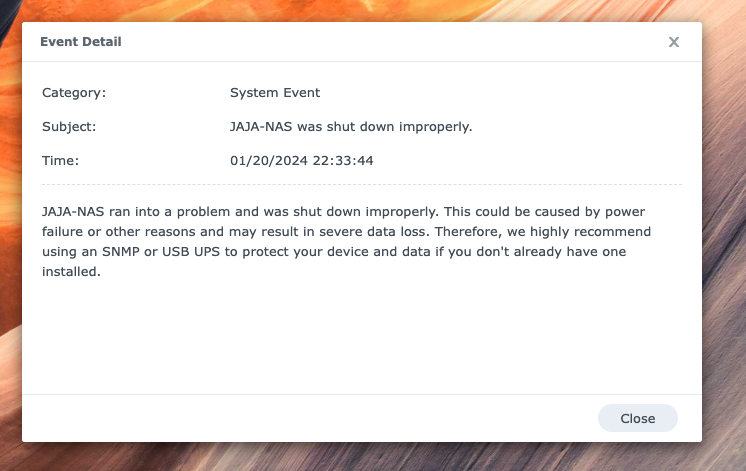
I had an idea to emulate an NVME and try to use it as cache in Synology DSM. I get to a point where it tried to mount the cache, then I get a segfault.

[ 1846.792660] kvm[24147]: segfault at 0 ip 000055bb2d97fb32 sp 00007fc7a62a2fb0 error 4 in qemu-system-x86_64[55bb2d857000+613000] likely on CPU 1 (core 1, socket 0)
[ 1846.793173] Code: e1 27 54 00 e8 6f 7b ed ff 66 66 2e 0f 1f 84 00 00 00 00 00 0f 1f 40 00 53 48 8b 77 30 48 89 fb 44 8b 43 38 48 8b 06 8b 7e 60 <48> 8b 08 45 85 c0 78 46 80 7b 4c 00 74 58 8b 43 48 83 c0 01 3d 00
[ 1846.801440] zd64: p1 p2 p3

Xpenology on Proxmox

July 13, 2023/NAS & Storage/#xpenology

In preparation for setting up and upgrading CRYSTALDRIN server to DSM 7.2, I tested out what’s the new process for creating an Xpenology VM in Proxmox.

I remember it being really complicated that involves a lot of commands.

With the recent development of interactive bootloaders, it was very easy now.

Synology 2.5GbE 5GbE Network Support

July 8, 2023/NAS & Storage/#synology

I have a DS918+ which only have 2 GbE port. I’m in the process of upgrading my local network to 10GbE.

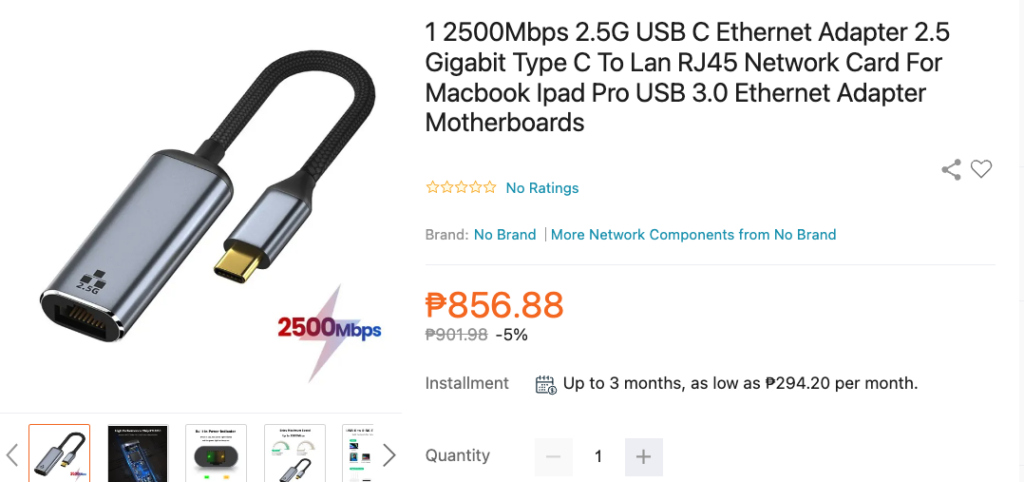
At the same time, I don’t want to replace this pricey NAS. I found out that there’s an option to purchase a USB 3.0 2.5G network dongle.

2.5GE is relatively cheap too, less than Php 856.88 in Lazada.

Here’s the drivers:

https://github.com/bb-qq/r8152

Ugreen USB C 2.5

https://github.com/bb-qq/aqc111

5g Qnap

Xpenology AME Patcher

July 8, 2023/NAS & Storage/#xpenology

AME patch is needed if you want support for HEVC encoding/decoding.

  1. Connect to SSH.
  2. Create the patch (below).
  3. Run sudo python ame.py.
import hashlib
import os

r = ['669066909066906690', 'B801000000', '30']
s = [(0x1F28, 0), (0x48F5, 1), (0x4921, 1), (0x4953, 1), (0x4975, 1), (0x9AC8, 2)]
prefix = '/var/packages/CodecPack/target/usr'
so = prefix + '/lib/libsynoame-license.so'

print("Patching")
with open(so, 'r+b') as fh:
    full = fh.read()
    if hashlib.md5(full).digest().hex() != 'fcc1084f4eadcf5855e6e8494fb79e23':
        print("MD5 mismatch")
        exit(1)
    for x in s:
        fh.seek(x[0] + 0x8000, 0)
        fh.write(bytes.fromhex(r[x[1]]))

lic = '/usr/syno/etc/license/data/ame/offline_license.json'
os.makedirs(os.path.dirname(lic), exist_ok=True)
with open(lic, 'w') as licf:
    licf.write('[{"appType": 14, "appName": "ame", "follow": ["device"], "server_time": 1666000000, "registered_at": 1651000000, "expireTime": 0, "status": "valid", "firstActTime": 1651000001, "extension_gid": null, "licenseCode": "0", "duration": 1576800000, "attribute": {"codec": "hevc", "type": "free"}, "licenseContent": 1}, {"appType": 14, "appName": "ame", "follow": ["device"], "server_time": 1666000000, "registered_at": 1651000000, "expireTime": 0, "status": "valid", "firstActTime": 1651000001, "extension_gid": null, "licenseCode": "0", "duration": 1576800000, "attribute": {"codec": "aac", "type": "free"}, "licenseContent": 1}]')

print("Checking whether patch is successful...")
ret = os.system(prefix + "/bin/synoame-bin-check-license")
if ret == 0:
    print("Successful, updating codecs...")
    os.system(prefix + "/bin/synoame-bin-auto-install-needed-codec")
    print("Done")
else:
    print(f"Patch is unsuccessful, retcode = {ret}")

7.2:

import hashlib
import os

r = ['669066909066906690', 'B801000000', '30']
s = [(0x3718, 0), (0x60A5, 1), (0x60D1, 1), (0x6111, 1), (0x6137, 1), (0xB5F0, 2)]
prefix = '/var/packages/CodecPack/target/usr'
so = prefix + '/lib/libsynoame-license.so'

print("Patching")
with open(so, 'r+b') as fh:
    full = fh.read()
    if hashlib.md5(full).digest().hex() != '09e3adeafe85b353c9427d93ef0185e9':
        print("MD5 mismatch")
        exit(1)
    for x in s:
        fh.seek(x[0] + 0x8000, 0)
        fh.write(bytes.fromhex(r[x[1]]))

lic = '/usr/syno/etc/license/data/ame/offline_license.json'
os.makedirs(os.path.dirname(lic), exist_ok=True)
with open(lic, 'w') as licf:
    licf.write('[{"attribute": {"codec": "hevc", "type": "free"}, "status": "valid", "extension_gid": null, "expireTime": 0, "appName": "ame", "follow": ["device"], "duration": 1576800000, "appType": 14, "licenseContent": 1, "registered_at": 1649315995, "server_time": 1685421618, "firstActTime": 1649315995, "licenseCode": "0"}, {"attribute": {"codec": "aac", "type": "free"}, "status": "valid", "extension_gid": null, "expireTime": 0, "appName": "ame", "follow": ["device"], "duration": 1576800000, "appType": 14, "licenseContent": 1, "registered_at": 1649315995, "server_time": 1685421618, "firstActTime": 1649315995, "licenseCode": "0"}]')

print("Checking whether patch is successful...")
ret = os.system(prefix + "/bin/synoame-bin-check-license")
if ret == 0:
    print("Successful, updating codecs...")
    os.system(prefix + "/bin/synoame-bin-auto-install-needed-codec")
    print("Done")
else:
    print(f"Patch is unsuccessful, retcode = {ret}")

https://xpenology.com/forum/topic/65643-ame-30-patcher/

Xpenology Creating a boot disk

July 8, 2023/NAS & Storage/#xpenology

Step-by-step guide to create a boot disk for booting Xpenology bootloaders.

  1. Download the bootloader you intend to use.
  2. Extract the .gz to .img.
  3. Plug-in the USB flash drive.
  4. In a Mac terminal, run diskutil list.
  5. Note the disk number of of the USB flash drive in the list.
  6. Run sudo dd if=arpl.img of=/dev/rdisk# bs=1m.
    • Replace # with the disk number.

Xpenology DSM bootloader list:

mergerfs and SnapRAID

February 7, 2023/NAS & Storage/#storage

Another setup to try. I have a bunch of various size disk that I do not know what’s the best setup for.

mergerfs combines different disk with different filesystem and show it as a single mount. Files are still flat. Disks can still be mounted individually.

SnapRAID can be used to setup a parity drive to allow recovery if one drive fails.

The idea is to combine the two technology. Mergerfs to combine disks + SnapRAID for data redundancy.

Something to checkout.

https://selfhostedhome.com/combining-different-sized-drives-with-mergerfs-and-snapraid/

https://perfectmediaserver.com/tech-stack/snapraid/

GlusterFS - Distributed Volumes With Different Size Hard Drives

January 31, 2023/NAS & Storage/#storage

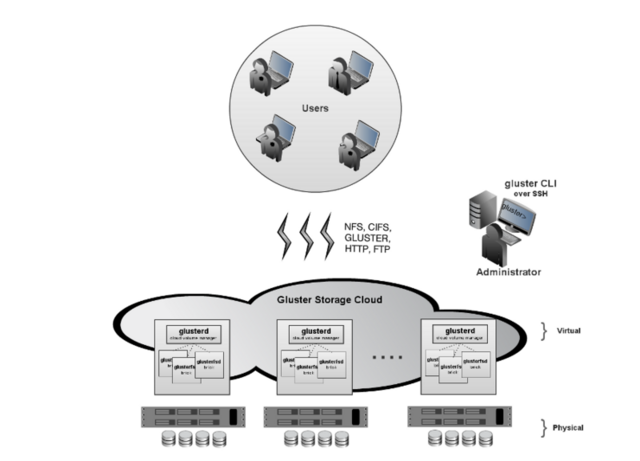
I have multiple, different size hard drives. It’s hard to plan how to utilize it with data safety in mind. Usually, hard drives need to be the same specification to use as RAID.

I’ve been seeing GlusterFS and I was curious if it fits my use-case.

My understanding is it’s a distributed file system that takes care of replication across hosts. So a setup with 3 different servers, with 3 (or more) different disk sizes should work. Increasing the cluster size means adding additional servers with more disks.

I am seriously considering this for my homelab. I don’t have time for it now though, but it’s on my list to try.

References:

Install docker-compose on Synology DSM

January 16, 2023/NAS & Storage/#docker
<code>sudo su cd /var/packages/Docker/target/usr/bin/ mv docker-compose docker-compose_bak curl -L https://github.com/docker/compose/releases/download/v2.15.1/docker-compose-`uname -s`-`uname -m` -o docker-compose chmod +x ./docker-compose
</code>

Synology DSM

January 16, 2023/NAS & Storage/#synology

Fixing Synology DSM Crashed Volume

January 3, 2023/NAS & Storage/#synology

One of my DSM virtual instances had a crashed volume. A crashed volume doesn’t necessarily mean lost data. It crashed for some reason and DSM suggests you to copy your data elsewhere before it becomes worse.

However, my instance is a virtual machine using a network block storage device that has its own protection built-in. My hunch is it crashed because of a network failure and DSM marked it as crashed.

Here’s the process how to fix a crashed volume

Connect to the DSM instance either via SSH or Console (serial).

I use Proxmox and have the option to connect using my virtual serial port.

qm term <VMID>

Once connected, stop all NAS services except for SSH.

sudo syno_poweroff_task -d

Get the raid array information. Look for array that have [E] which means it has an error. Take note of the devices name (e.g. md2 and sdg3).

cat /proc/mdstat
Personalities : [linear] [raid0] [raid1] [raid10] [raid6] [raid5] [raid4] [raidF1]
md2 : active raid1 sdg3[0](E) 532048896 blocks super 1.2 [1/1] [E]
md1 : active raid1 sdg2[0] 2097088 blocks [16/1] [U_______________]
md0 : active raid1 sdg1[0] 2490176 blocks [16/1] [U_______________]

To retain the same raid array UUID when it will be recreated later on, we need to get that info. Take note of UUID and Array UUID which should match.

sudo mdadm --detail /dev/md2
/dev/md2:
        Version : 1.2
  Creation Time : Tue Apr 5 11:13:15 2022
     Raid Level : raid1
     Array Size : 532048896 (507.40 GiB 544.82 GB)
  Used Dev Size : 532048896 (507.40 GiB 544.82 GB)
   Raid Devices : 1
  Total Devices : 1
    Persistence : Superblock is persistent

    Update Time : Tue Jan 3 15:17:40 2023
          State : clean, FAILED
 Active Devices : 1
Working Devices : 1
 Failed Devices : 0
  Spare Devices : 0

           Name : JAJA-NVR:2 (local to host JAJA-NVR)
           UUID : 4c38a5c6:7d2b9e1e:76678f10:b7f5e176
         Events : 28

    Number   Major   Minor   RaidDevice State
       0       8       99        0      faulty active sync   /dev/sdg3

sudo mdadm --examine /dev/sdg3
/dev/sdg3:
          Magic : a92b4efc
        Version : 1.2
    Feature Map : 0x0
     Array UUID : 4c38a5c6:7d2b9e1e:76678f10:b7f5e176
           Name : JAJA-NVR:2 (local to host JAJA-NVR)
  Creation Time : Tue Apr 5 11:13:15 2022
     Raid Level : raid1
   Raid Devices : 1
  Avail Dev Size : 1064097792 (507.40 GiB 544.82 GB)
     Array Size : 532048896 (507.40 GiB 544.82 GB)
  Data Offset : 2048 sectors
 Super Offset : 8 sectors
   Unused Space : before=1968 sectors, after=0 sectors
          State : clean
    Device UUID : 40be52e1:68f734ef:980cfaa5:103c5fa6

    Update Time : Tue Jan 3 15:17:40 2023
       Checksum : afa92c2 - correct
         Events : 28

   Device Role : Active device 0
   Array State : A ('A' == active, '.' == missing, 'R' == replacing)

Stop the raid array:

sudo mdadm --stop /dev/md2
[499024.611228] md2: detected capacity change from 544818069504 to 0
[499024.612272] md: md2: set sdg3 to auto_remap [0]
[499024.613155] md: md2 stopped.
[499024.613792] md: unbind<sdg3>
[499024.618114] md: export_rdev(sdg3)
mdadm: stopped /dev/md2

Recreate the raid array:

sudo mdadm --create --force /dev/md2 --level=1 --metadata=1.2 --raid-devices=1 /dev/sdg3 --uuid=4c38a5c6:7d2b9e1e:76678f10:b7f5e176
mdadm: /dev/sdg3 appears to be part of a raid array:
       level=raid1 devices=1 ctime=Tue Jan 3 15:21:44 2023
Continue creating array? y
[499345.180631] md: bind<sdg3>
[499345.182421] md/raid1:md2: active with 1 out of 1 mirrors
[499345.185220] md2: detected capacity change from 0 to 544818069504
mdadm: array /dev/md2 started.
[499345.201216] md2: unknown partition table

Reboot:

sudo reboot

Check the DSM dashboard:

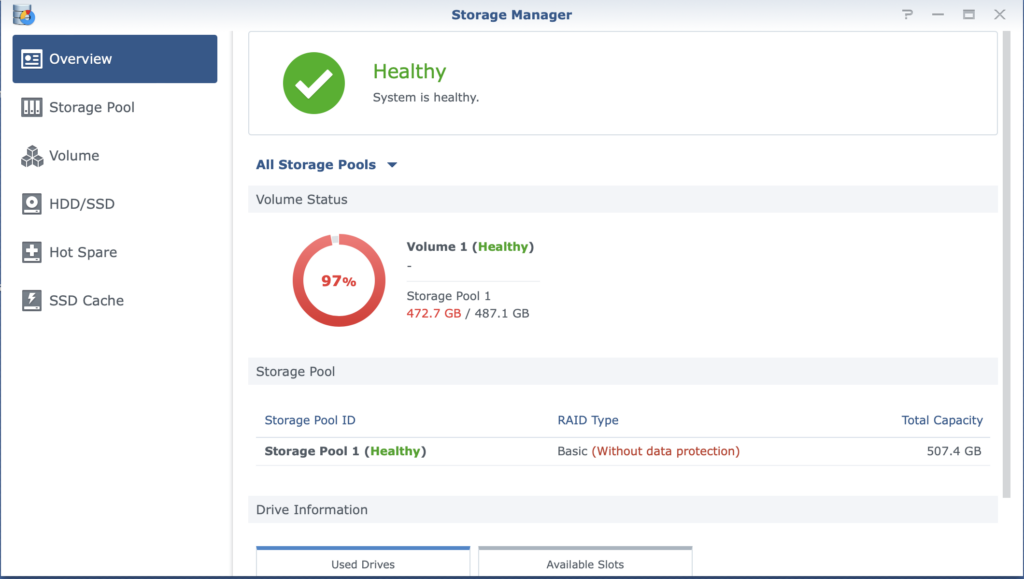
If everything went as expected, you should see the volume as healthy again.

TLDR

# Stop all NAS services except from SSH
sudo syno_poweroff_task -d

# Get crashed volume information (e.g. /dev/md2 and /dev/sdg3)
cat /proc/mdstat

# Get raid array UUID (e.g. 4c38a5c6:7d2b9e1e:76678f10:b7f5e176)
sudo mdadm --detail /dev/md2

# Stop raid array
sudo mdadm --stop /dev/md2

# Re-add volume to the raid array
sudo mdadm --create --force /dev/md2 --level=1 --metadata=1.2 --raid-devices=1 /dev/sdg3 --uuid=4c38a5c6:7d2b9e1e:76678f10:b7f5e176

# Verify it's added without error
cat /proc/mdstat

# Reboot
sudo reboot

Reference: https://xpenology.com/forum/topic/29221-howto-repair-a-clean-volume-who-stays-crashed-volume/?tab=comments#comment-144862

It took 4 days to add 2 volumes in my NAS

December 21, 2022/NAS & Storage/#storage

Grabe. I did not expect that it will take 4 days to add 2x 10TB volume to my NAS.

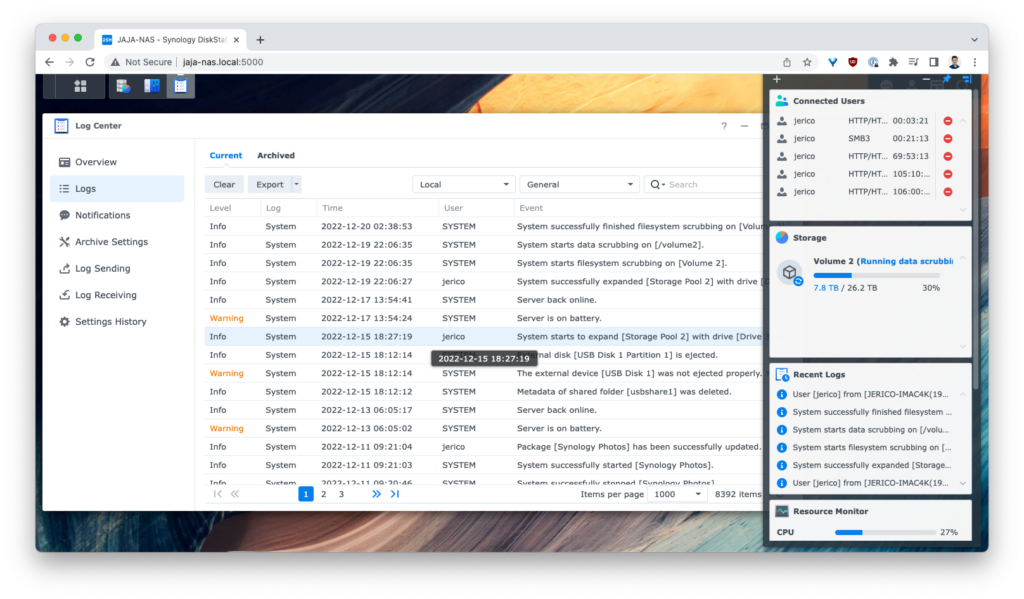
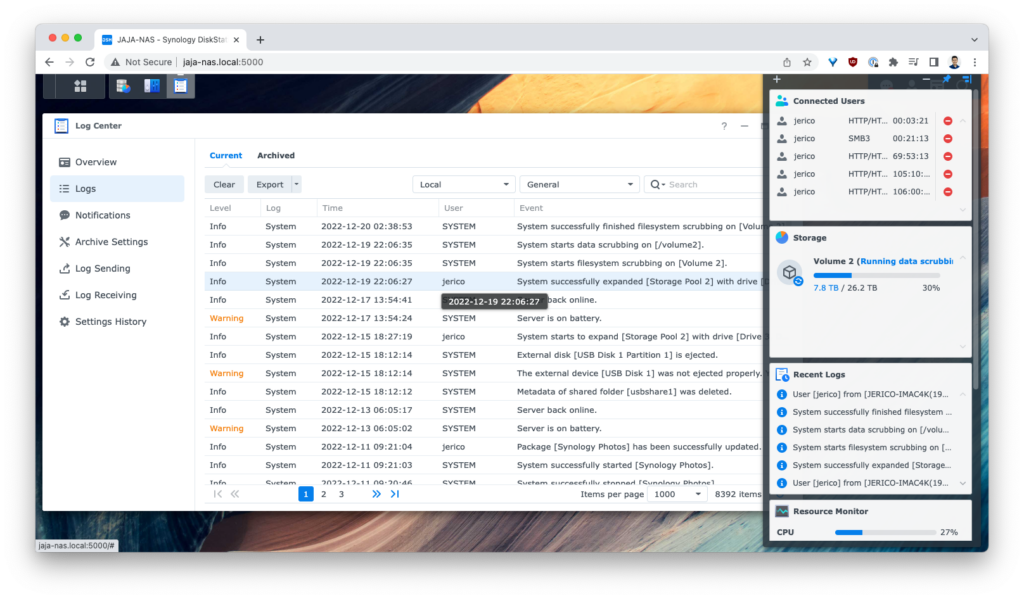
Started at 2022-12-15 18:27:19

Finished at 2022-12-19 22:06:27

I also realized the importance of UPS. Between adding the volume and completion, there was 20 seconds of electric interruption. That would have risk data corruption kung namatay yung NAS in the middle of the operation.

Increasing NAS storage take days

December 19, 2022/NAS & Storage/#storage

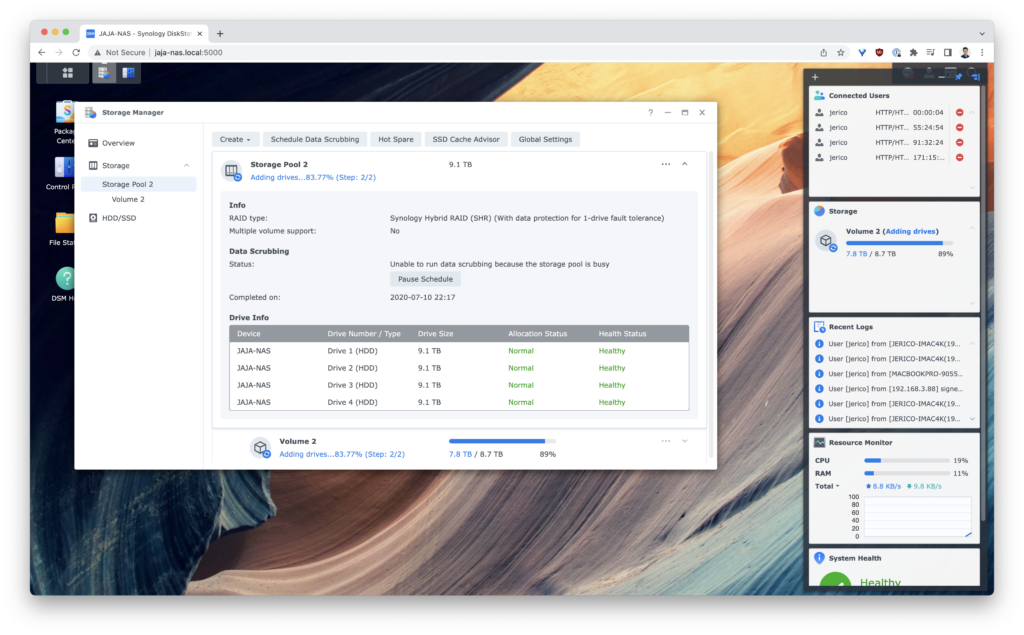
I’ve upgraded my family’s NAS to add another 2x 10TB drives.

I added the drive 2 days ago. Up until now, it’s still in progress. I did not expect it’ll be this slow. Good thing, I’m not in a rush.